Explore ssds & storage at stores
These open retailer searches or categories, not specific product recommendations. Some stores show a broader related category. Compare specifications, availability and current prices before buying.
Links labeled affiliate link may earn Bobs PC Hardware a commission on qualifying purchases, at no extra cost to you. Unlabeled links are ordinary store searches. Amazon is general category shopping, not a specific product recommendation. As an Amazon Associate I earn from qualifying purchases. Read our disclosure.
What it does
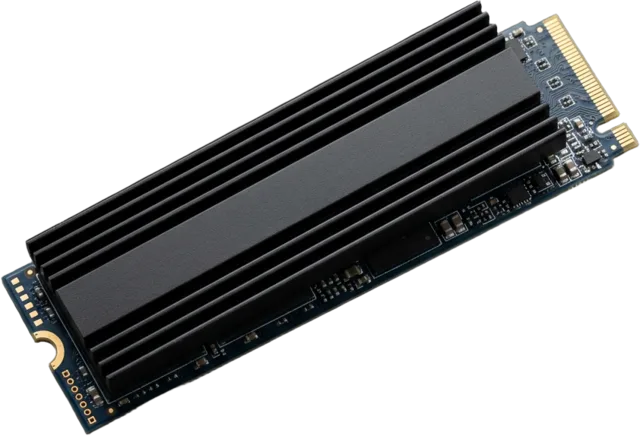
Storage keeps your operating system, programs, games and files. An SSD makes everyday loading feel responsive; capacity keeps it useful over time.
Specifications worth understanding
Specifications are useful when they answer a question about your actual setup. Start here.
Common mistakes
- Choosing on headline sequential speed alone.
- Forgetting backups are separate from storage capacity.
- Buying an M.2 drive without checking supported interface.
Compatibility check
Check motherboard M.2 key, supported PCIe/SATA mode, slots and any lane-sharing notes.
Learn before you buy ssds & storage
Prioritize sensible capacity and reliability over a speed number you may never notice.
- 1TB vs 2TB SSD: How Much Storage Does a Gaming PC Need?
Add up your installed games, Windows, mods, recordings, and update space to choose between 1TB and 2TB without overspending.
- How to Choose an SSD for Gaming: Capacity, NVMe, and PCIe 4.0 vs. 5.0
Capacity, NVMe, PCIe generations and cooling: find the SSD that makes sense for your games.
- How to Choose a Motherboard for Your CPU and Budget
Start with your exact CPU, then check BIOS support, memory type, case fit, storage slots, power delivery, and the connections you will use.
- PC Game Stuttering: How to Find the Cause and Fix It
Reproduce the hitch, compare frame times and system metrics, and separate rendering stalls, memory pressure, cooling issues, and network lag.
- What Should You Upgrade First in an Aging Computer? A Practical PC Upgrade Order
Diagnose what is slowing your PC down, then decide whether to upgrade storage, memory, graphics, or the whole platform.
- How to Tell If Your PC Is Bottlenecking: Find the Part Limiting Your Games
Use repeatable tests, frame times, component load, and temperatures to find what limits your games before buying an upgrade.