
Explore power supplies at stores
These open retailer searches or categories, not specific product recommendations. Some stores show a broader related category. Compare specifications, availability and current prices before buying.
Links labeled affiliate link may earn Bobs PC Hardware a commission on qualifying purchases, at no extra cost to you. Unlabeled links are ordinary store searches. Amazon is general category shopping, not a specific product recommendation. As an Amazon Associate I earn from qualifying purchases. Read our disclosure.
What it does
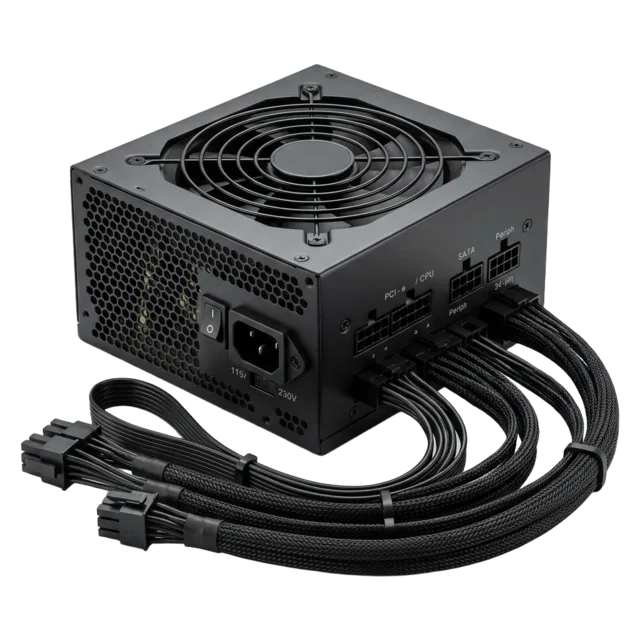
The PSU converts wall power for your components. Quality, connectors and sufficient capacity are more important than chasing a huge wattage number.
Specifications worth understanding
Specifications are useful when they answer a question about your actual setup. Start here.
Common mistakes
- Treating efficiency badges as a complete quality rating.
- Reusing modular cables from a different PSU.
- Buying too little headroom for transient loads.
Compatibility check
Check case PSU length and format, graphics card connectors and component power requirements.
Learn before you buy power supplies
Choose a well-reviewed unit with the right connections and headroom.
- How Much Power Supply Do You Really Need for 1440p or 4K Gaming?
Choose PSU capacity from your actual GPU, CPU, connectors, and upgrade plans—not just the screen resolution.
- Will This Graphics Card Fit My Case? A Complete GPU Clearance Checklist
Compare the exact card’s dimensions with usable case space, then check radiator clearance, slot layout, power cables, and airflow.
- New PC Turns On but Has No Display: What to Check First
Start with the monitor input and correct video port, then use motherboard debug indicators to check memory, power, graphics, and CPU support.
- Used Graphics Card Buying Checklist: How to Inspect, Test, and Price a Secondhand GPU
Check a secondhand graphics card’s condition, compatibility, testing, warranty, and total price before you pay.
- PC Parts Compatibility Checklist: What to Check Before You Buy
A complete checklist to verify that every part of your PC build fits and works together.