Explore graphics cards at stores
These open retailer searches or categories, not specific product recommendations. Some stores show a broader related category. Compare specifications, availability and current prices before buying.
Links labeled affiliate link may earn Bobs PC Hardware a commission on qualifying purchases, at no extra cost to you. Unlabeled links are ordinary store searches. Amazon is general category shopping, not a specific product recommendation. As an Amazon Associate I earn from qualifying purchases. Read our disclosure.
What it does
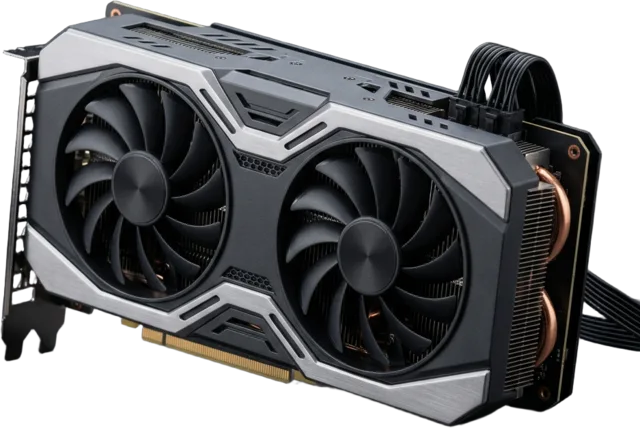
A graphics card renders games and can accelerate editing, 3D and AI tools. Its value depends on your monitor, target settings and the software you use.
Specifications worth understanding
Specifications are useful when they answer a question about your actual setup. Start here.
Common mistakes
- Paying for performance a low-resolution display cannot show.
- Comparing only video-memory size.
- Forgetting case clearance or PSU connector requirements.
Compatibility check
Check PCIe slot, case length and thickness, PSU capacity and connectors, and display outputs.
Learn before you buy graphics cards
Choose around target resolution and real workloads, not model naming.
| Your screen | What to compare |
|---|---|
| 1080p | Performance in your games, target frame rate, and whether your CPU can keep up. |
| 1440p | Game benchmarks, texture memory needs, ray-tracing settings, and total cost. |
| 4K | Performance at your intended settings, VRAM, upscaling quality, and power requirements. |
- How to Choose a Graphics Card: A Practical Buying Guide for Gamers
Choose a GPU for your monitor and games, then check VRAM, benchmarks, power and fit.
- Will This Graphics Card Fit My Case? A Complete GPU Clearance Checklist
Compare the exact card’s dimensions with usable case space, then check radiator clearance, slot layout, power cables, and airflow.
- New PC Turns On but Has No Display: What to Check First
Start with the monitor input and correct video port, then use motherboard debug indicators to check memory, power, graphics, and CPU support.
- How Much VRAM Do You Need for Gaming in 2026? 8 GB vs 12 GB vs 16 GB and Beyond
Understand video memory, compare 8 GB, 12 GB, and 16 GB, and spot when VRAM is limiting your games.
- Is Ray Tracing Worth It in 2026? A Practical PC Gaming Guide
Weigh better lighting and reflections against FPS, responsiveness, and the GPU requirements of your favorite games.
- Used Graphics Card Buying Checklist: How to Inspect, Test, and Price a Secondhand GPU
Check a secondhand graphics card’s condition, compatibility, testing, warranty, and total price before you pay.
- AMD RX 9070 XT vs Nvidia RTX 5070 Ti: Which GPU Should You Buy for Gaming or Content Creation?
Compare gaming performance, creator workloads, power requirements, and dated price snapshots for these two 16 GB GPUs.
- AMD Radeon RX 10950 vs Nvidia GeForce RTX 6090: Rumors, Release Dates, Prices, and What to Watch
Separate rumors from confirmed details about these unannounced GPU names, and learn what to check before planning an upgrade.
- How to Tell If Your PC Is Bottlenecking: Find the Part Limiting Your Games
Use repeatable tests, frame times, component load, and temperatures to find what limits your games before buying an upgrade.