Explore fully built pcs at stores
These open retailer searches or categories, not specific product recommendations. Some stores show a broader related category. Compare specifications, availability and current prices before buying.
Links labeled affiliate link may earn Bobs PC Hardware a commission on qualifying purchases, at no extra cost to you. Unlabeled links are ordinary store searches. Amazon is general category shopping, not a specific product recommendation. As an Amazon Associate I earn from qualifying purchases. Read our disclosure.
What it does
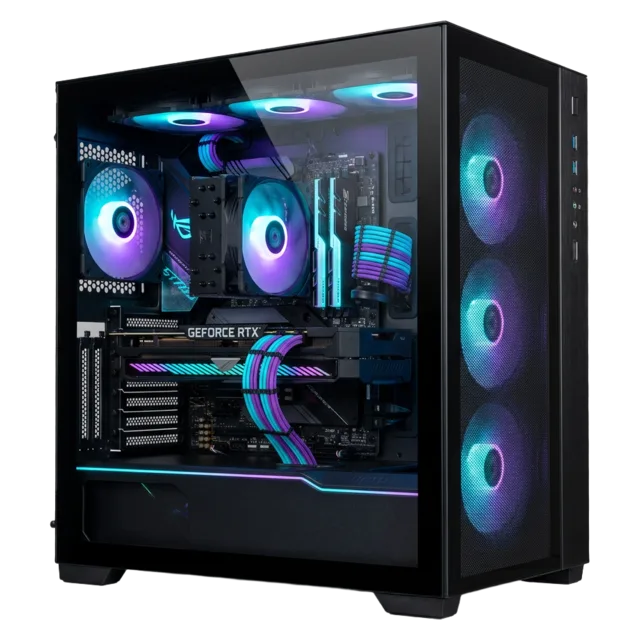
A prebuilt desktop bundles the processor, graphics, memory, storage, case and support into one purchase. Compare its exact components, upgrade options and warranty against the total cost of building yourself.
Specifications worth understanding
Specifications are useful when they answer a question about your actual setup. Start here.
Common mistakes
- Trusting a “gaming PC” label without checking the GPU.
- Overlooking a single RAM stick or limited storage.
- Assuming every case, motherboard or PSU uses standard replaceable parts.
Compatibility check
Confirm the included display outputs fit your monitor, the PC has the ports and wireless options you need, and any planned upgrades fit its case and power supply.
Learn before you buy fully built pcs
Compare the complete parts list, support and upgrade path—not just the advertised processor.
- Build or Buy a Prebuilt PC in 2026? How to Choose the Better Deal
Compare complete costs, hidden component choices, warranties, and upgrade flexibility before you build or buy.
- What to check before buying a fully built PC
A complete PC can be convenient. Here is how to look beyond its headline processor and graphics card.
- How to Build a Gaming PC on a Budget: RAM, Graphics Cards, and PCIe 4.0 vs. 5.0
Build a balanced gaming PC without paying extra for specifications you will not use.
- How to plan a PC budget that fits your needs
Start with the work you do, protect the essentials, and leave room for the parts that matter most.